

Void Integration
Overview
Section titled “Overview”Void is an experimental AI coding assistant focused on helping developers with complex programming tasks. It provides intelligent code generation, explanation, and problem-solving capabilities within your development environment.
Key Features
Section titled “Key Features”- Context-Aware Code Generation: Understands your project structure
- Multi-File Assistance: Can reference and modify multiple files
- Test Generation: Creates unit tests for your code
- Documentation Creation: Generates comprehensive documentation
- Performance Optimization: Suggests performance improvements
Use Cases
Section titled “Use Cases”- Generating boilerplate code and common patterns
- Debugging complex issues with intelligent assistance
- Creating comprehensive test suites
- Documenting existing codebases efficiently
- Learning new programming languages and frameworks
Setup Instructions
Section titled “Setup Instructions”-
Download Void
Download the beta version if the official release is not yet available.
-
Add Model in Settings
After installing, navigate to Void Settings and
add Modelunder the Models section. -
Configure Model parameters
Configure the following parameters:
API Provider: OpenAI-Compatible
Model Name:
<model name>E.g.DeepSeek-R1-0528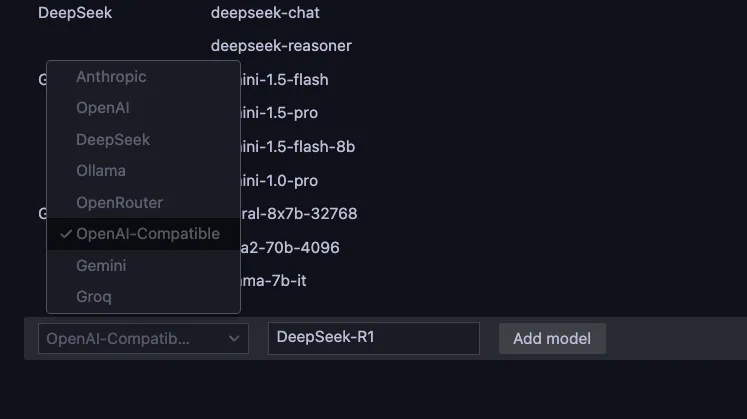
-
Configure OpenAI-Compatible section
Under OpenAI-Compatible section, configure the following parameters:
- Base Url:
https://api.relax.ai/v1 - API Key:
RELAX_API_KEY
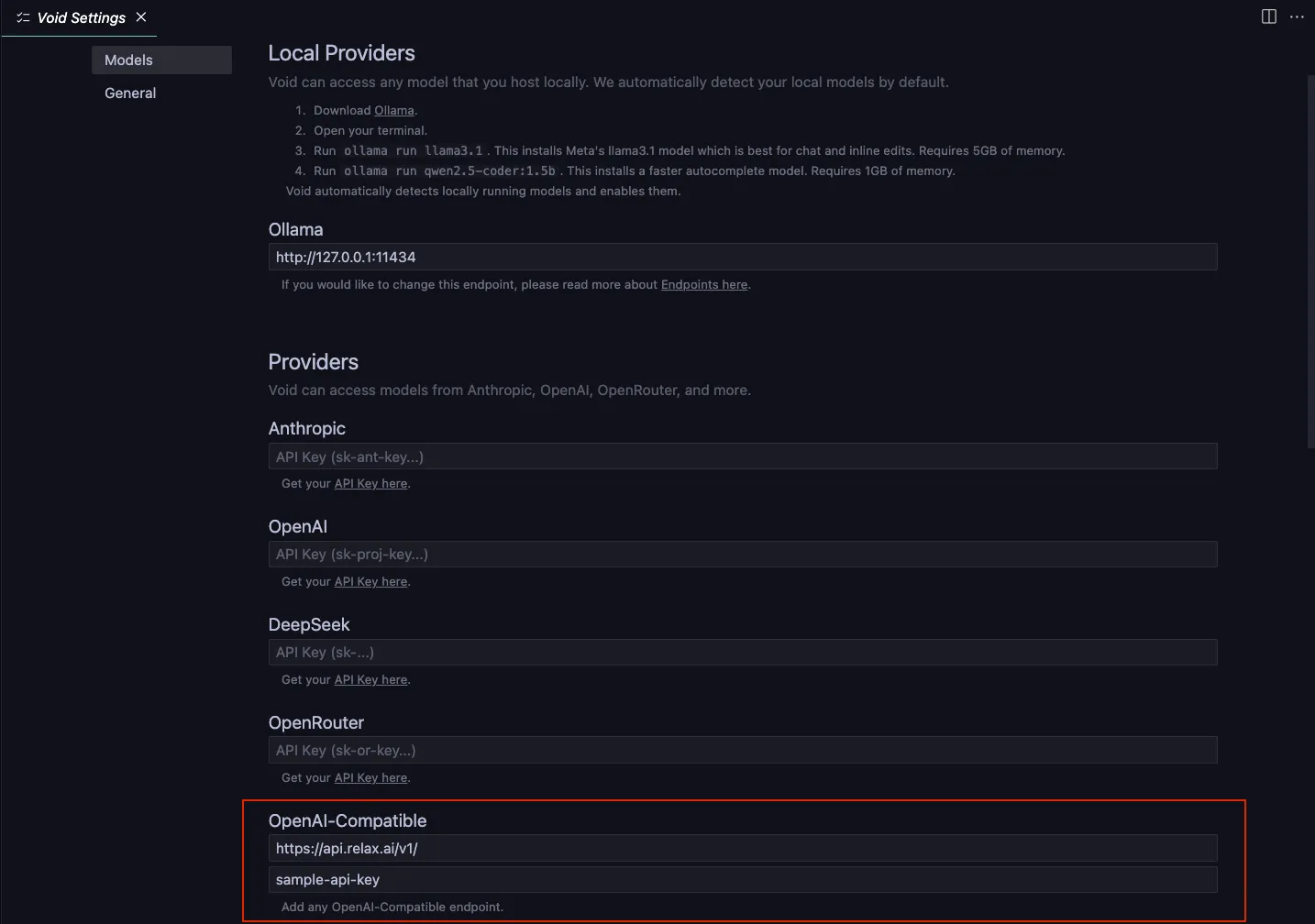
- Base Url:
-
Save and test
Save your settings and test the connection by asking a simple coding question in the chat panel.
Working with Void
Section titled “Working with Void”Void provides several ways to interact with your AI assistant:
- Chat Interface: Ask coding questions and get detailed answers
- Inline Code Generation: Get suggestions as you type
- Code Explanations: Select code and ask for explanations
- Code Transformations: Convert code between languages or paradigms