

Cline Integration
Overview
Section titled “Overview”Cline is a powerful command-line interface designed specifically for interacting with large language models directly from your terminal. It enables seamless LLM interactions in your daily development workflow.
Key Features
Section titled “Key Features”- Terminal-Based: Use LLMs without leaving your command line
- Context Awareness: Maintains conversation history
- Command Integration: Pipe terminal commands to and from the LLM
- Customizable Prompts: Create and save prompt templates
- Multiple Model Support: Switch between different LLM providers
Use Cases
Section titled “Use Cases”- Quick code generation and explanation in terminal
- Debugging assistance during development
- Shell command generation from natural language
- Documentation writing and formatting
Setup Instructions
Section titled “Setup Instructions”-
Install Cline
Install Cline from the VS Code extension marketplace.
-
Configure Cline settings
Navigate to Cline settings and configure the following parameters:
- API Provider:
OpenAI Compatible - Base URL:
https://api.relax.ai/v1 - API Key:
RELAX_API_KEY - Model ID:
Llama-4-Maverick-17B-128E
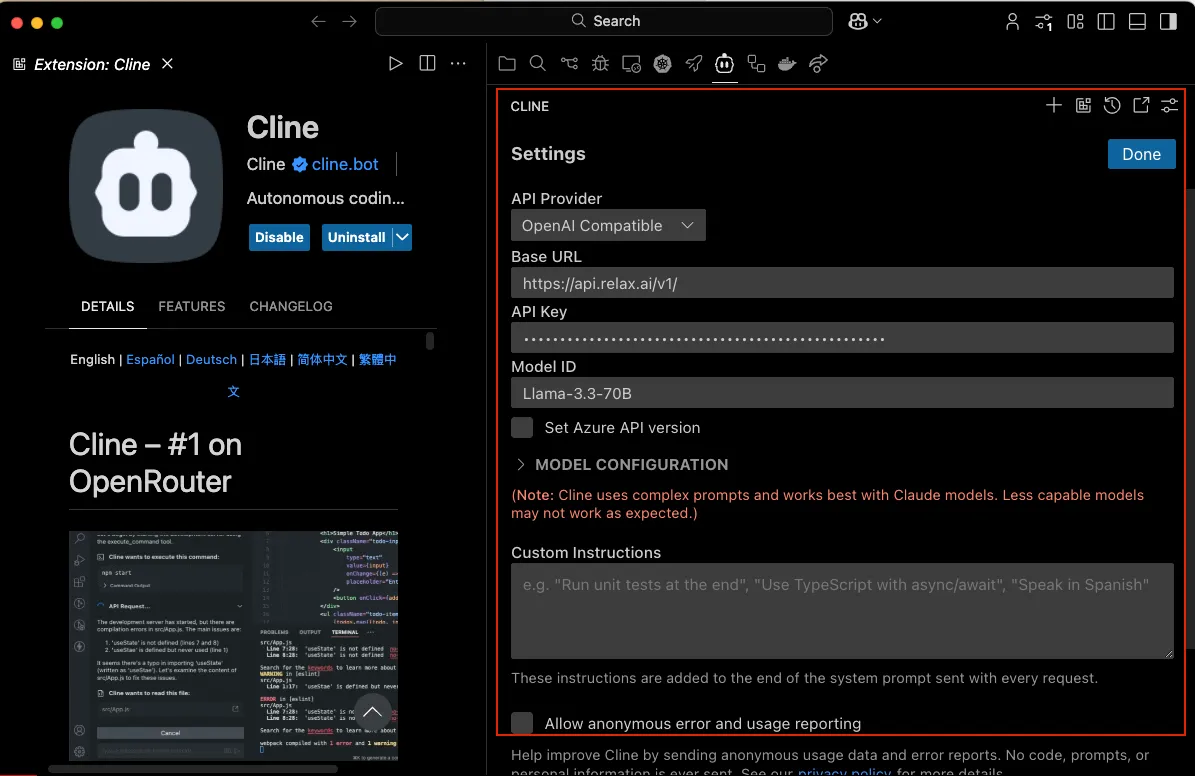
- API Provider:
-
Customize settings (optional)
You can provide custom instructions/system prompt or configure advanced settings as per your requirements.
-
Open Cline in a new tab
Use the
CMD/CTRL + Shift + Pshortcut to open the command palette and typeCline: Open In New Tabto open the extension as a tab in your editor. This lets you use Cline side-by-side with your file explorer, and see how it changes your workspace more clearly.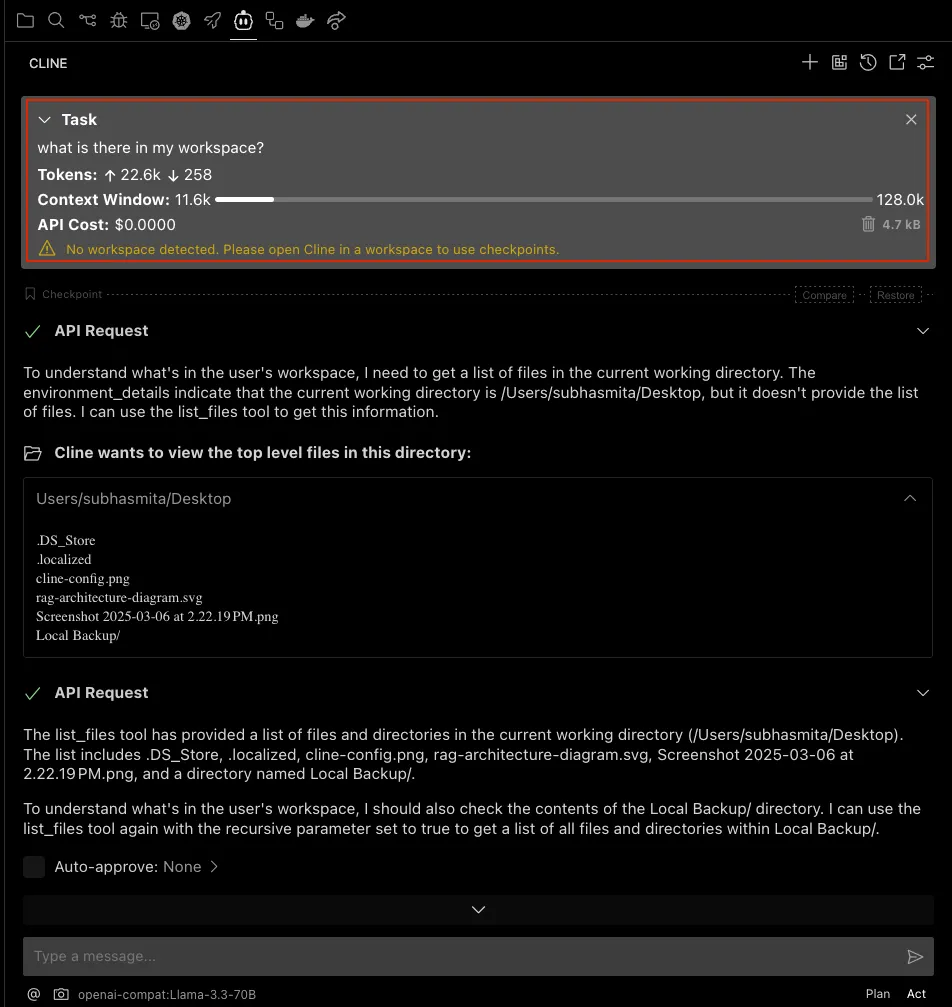
Commands and Usage
Section titled “Commands and Usage”Cline provides several powerful commands:
/help- Display available commands/reset- Reset conversation context/system <prompt>- Set a new system prompt/save <name>- Save current conversation/load <name>- Load a saved conversation