

Manage Conversation
relaxAI provides features to help you manage your conversation history effectively. You can enable or disable conversation history, search through past conversations, and delete conversations as needed.
Toggle Conversation History
Section titled “Toggle Conversation History”To enable or disable conversation history for your account:
-
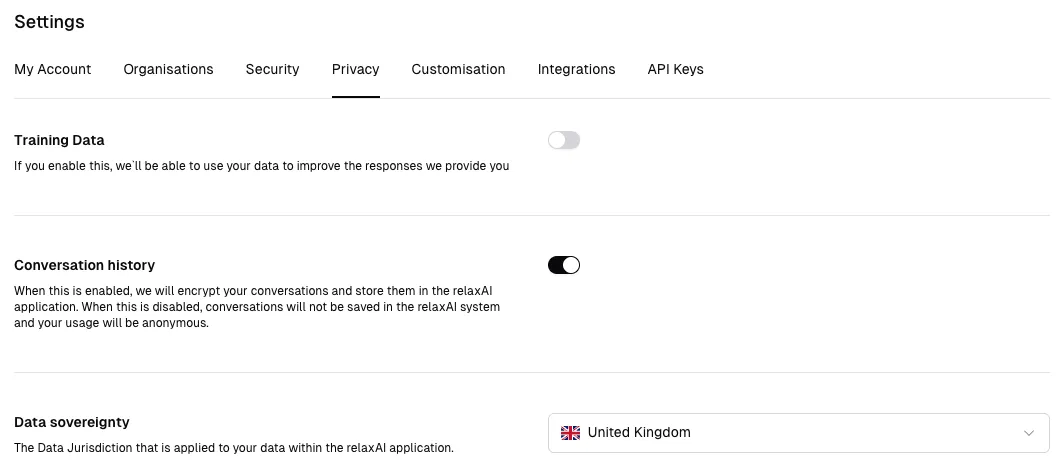
Select Settings from your relaxAI dashboard and navigate to Privacy.
-
Find the Conversation History option.
-
Toggle the switch to enable or disable conversation history.
Search Conversations
Section titled “Search Conversations”To search through your conversation history:
-
Navigate to your relaxAI dashboard.
-
In the sidebar, click on View all to view your past conversations.
-
In the conversations page, use the search bar at the top to enter keywords or phrases related to the conversation you want to find.
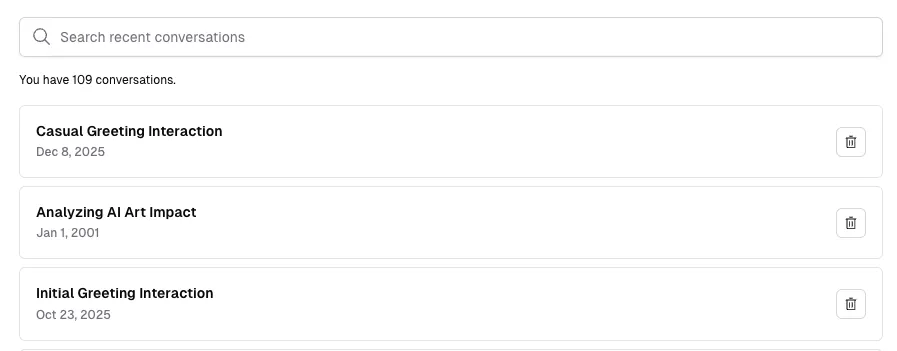
You don’t need to press Enter after typing; the results will update automatically as you type.
-
Review the search results to find the specific conversation you are looking for.
Delete Conversations
Section titled “Delete Conversations”To delete individual conversations or clear your entire conversation history:
-
Use the same steps as above to navigate to your conversations page.
-
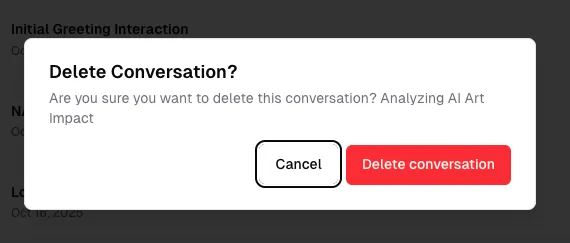
To delete an individual conversation, hover over the conversation you want to delete and click the trash icon that appears.
-
Confirm the deletion when prompted to permanently remove the conversation.
By managing your conversation history effectively, you can maintain a clean and organised record of your interactions within relaxAI.