

Roo Code Integration
Overview
Section titled “Overview”Roo Code is an advanced AI coding assistant designed to understand entire codebases and help developers write, review, and refactor code with context-aware suggestions. It offers deep integration with popular IDEs and version control systems.
Key Features
Section titled “Key Features”- Code Repository Understanding: Analyzes entire repositories to provide contextual assistance
- Natural Language Code Generation: Convert descriptions to functional code
- Code Review Automation: Identify issues and suggest improvements
- Real-time Pair Programming: Collaborative coding with AI assistance
- Context-Aware Refactoring: Intelligent code restructuring suggestions
Use Cases
Section titled “Use Cases”- Accelerating development of new features
- Improving code quality through AI-assisted reviews
- Learning new programming languages and frameworks
- Simplifying complex refactoring tasks
- Documenting code automatically
relaxAI Setup Instructions
Section titled “relaxAI Setup Instructions”-
Install the Roo Code extension
Install the Roo Code extension for your IDE (VS Code, JetBrains)
-
Open the settings panel
Open the settings panel within the extension
-
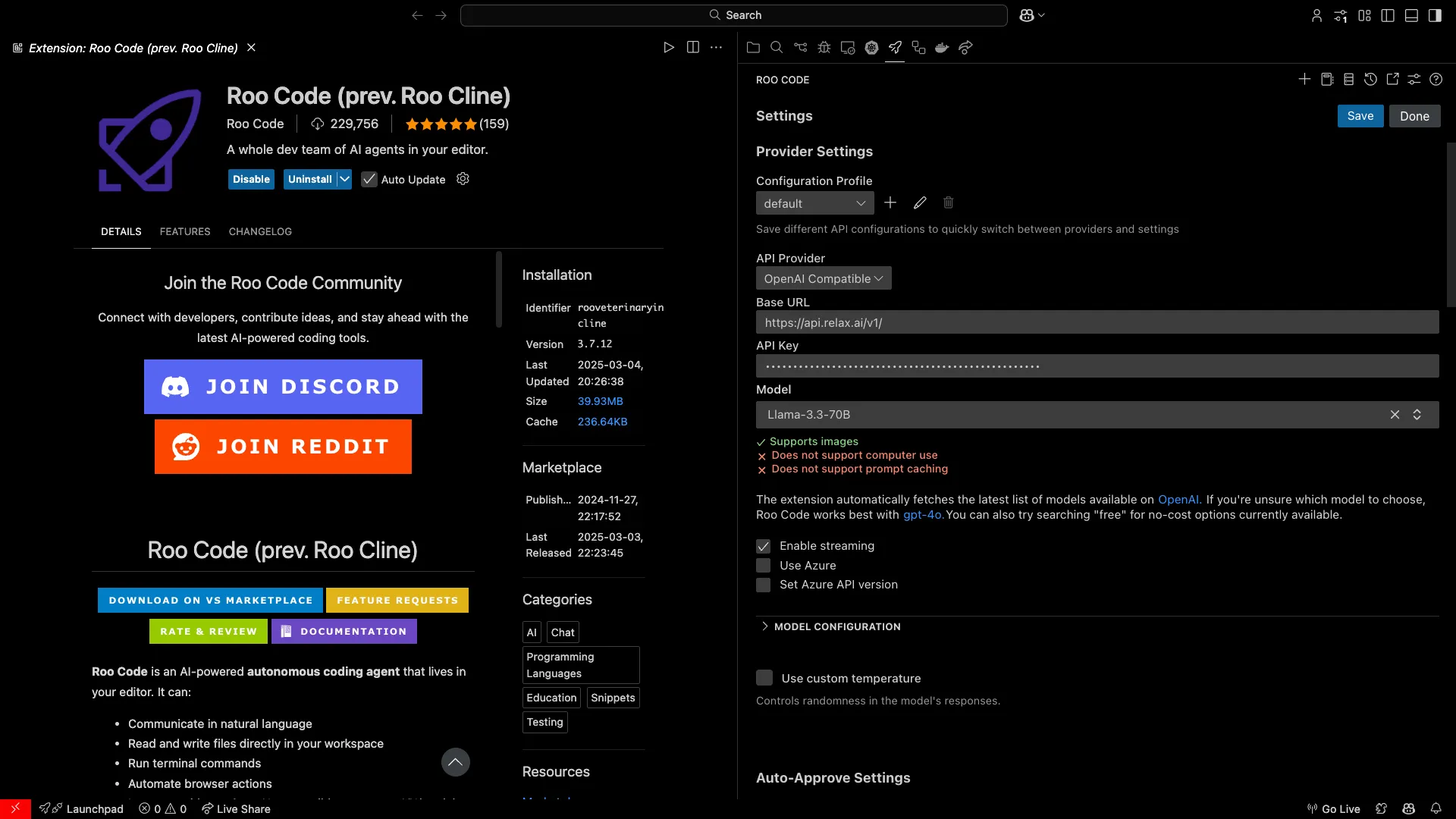
Configure custom LLM settings
- API Provider:
OpenAI Compatible - Base URL:
https://api.relax.ai/v1 - API Key:
RELAX_API_KEY - Model:
<model name>
- API Provider:
-
Save your settings
Save your settings and restart the extension
-
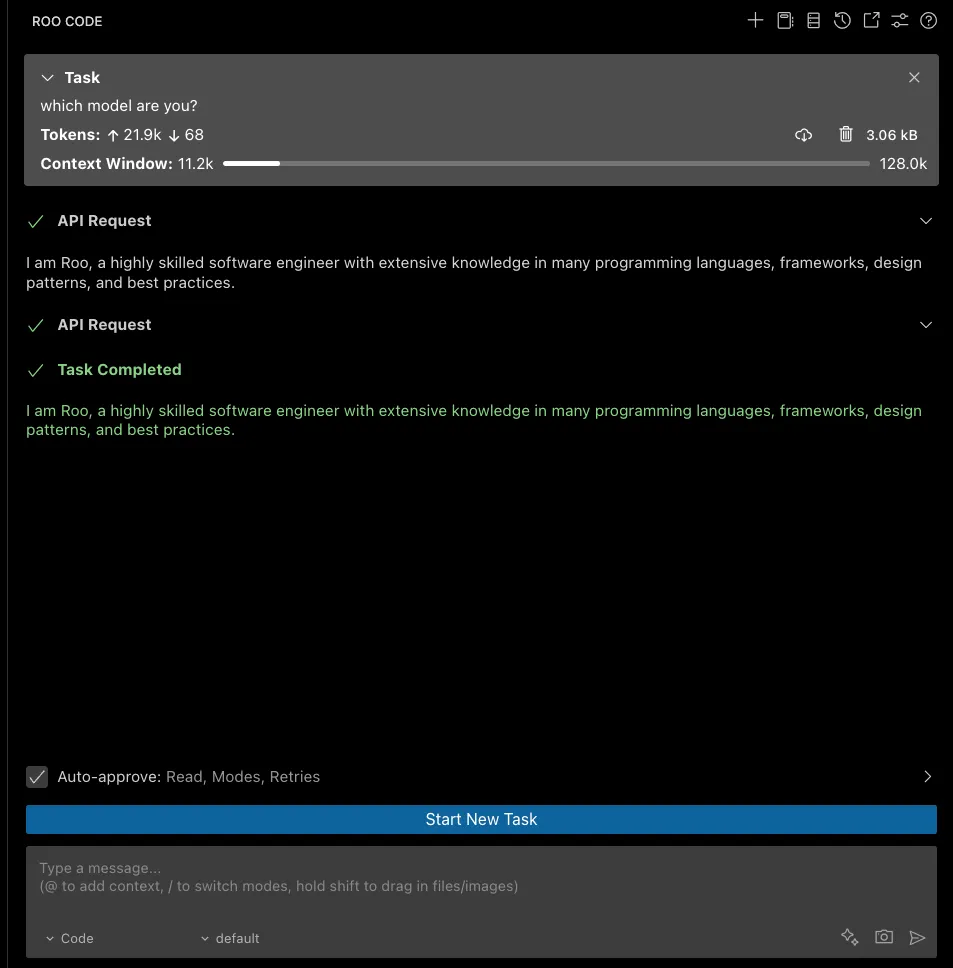
Verify the connection
Verify the connection is working by asking a simple coding question in the chat panel
Using Roo Code
Section titled “Using Roo Code”Roo Code can be used in multiple ways: Chat Interface: Ask questions directly about your code Inline Suggestions: Get code completion as you type Command Palette: Access Roo Code features through commands Code Actions: Right-click on code to see AI-powered actions
Advanced Configuration
Section titled “Advanced Configuration”You can customize Roo Code’s behavior with the following options:
- Chat Interface: Ask questions directly about your code
- Inline Suggestions: Get code completion as you type
- Command Palette: Access Roo Code features through commands
- Code Actions: Right-click on code to see AI-powered actions