
Account Security
Overview
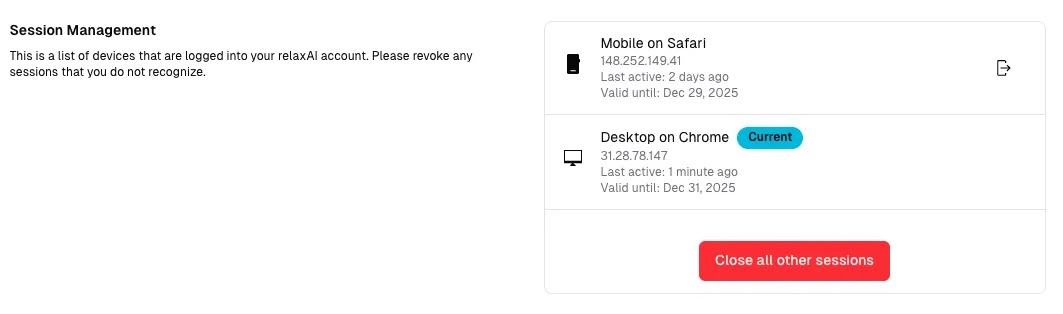
Section titled “Overview”The Security settings page allows you to manage active sessions and monitor access to your relaxAI account. You can view all devices currently logged into your account and revoke access to maintain security.
Access the security settings at Security in your account settings.
Session Management
Section titled “Session Management”In the Active Sessions section, you can view and manage all active sessions associated with your account. Each session displays:
To enhance your account security, you can revoke access to other devices by clicking the Close all other sessions button. This will immediately log out all sessions except your current one, ensuring that only you have access to your account.